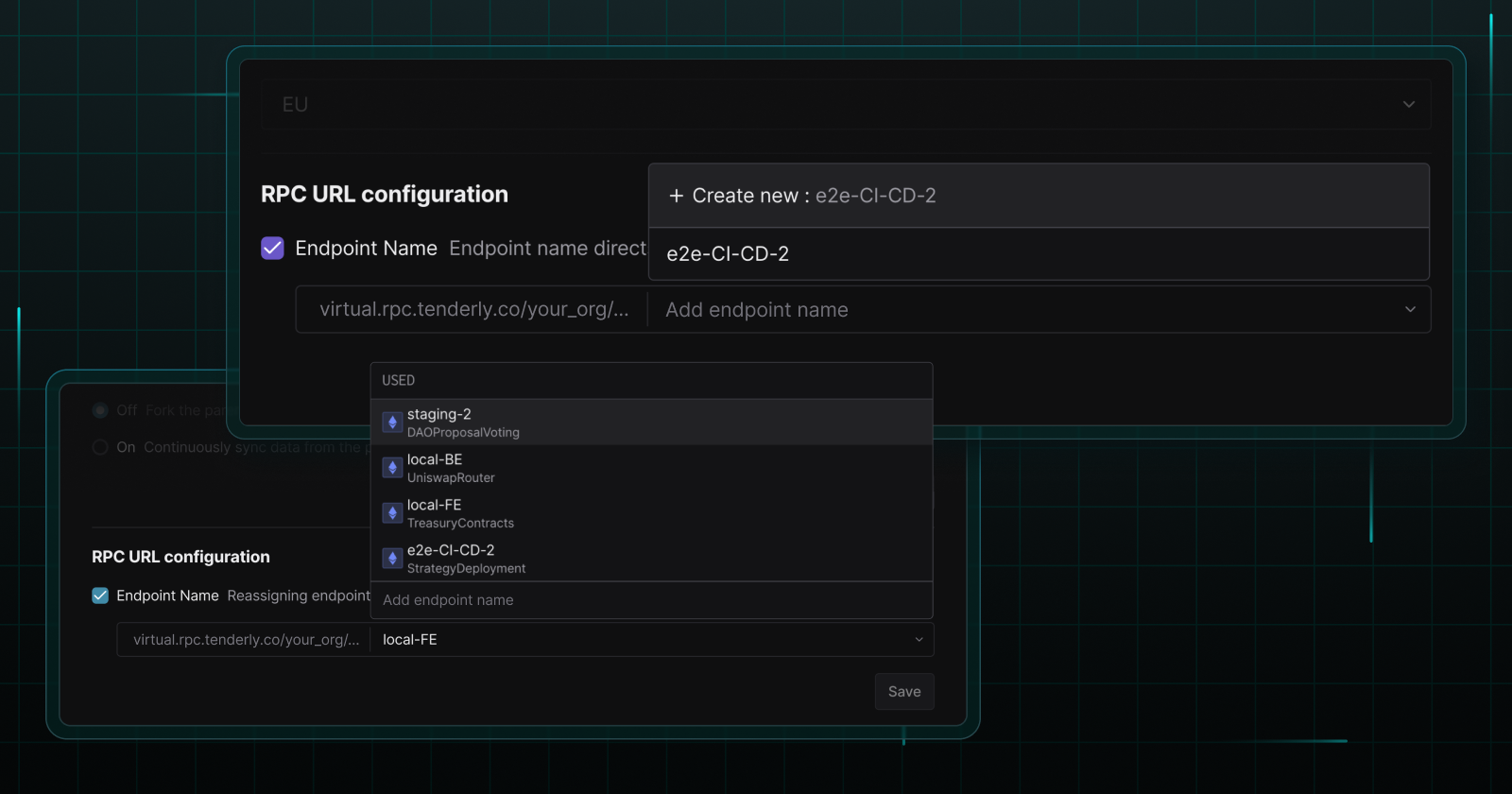
You no longer have to change the Virtual TestNet RPC per CI/CD run. Instead, name your RPC endpoints to easily swap Virtual TestNet environments across different workflows. Plus, keep your Virtual TestNet list clean by deleting multiple Virtual TestNets at once.
Set predictable Virtual TestNet RPC URLs
Assign predictable names to your Virtual TestNet RPCs so you can easily replace endpoints in your workflows.
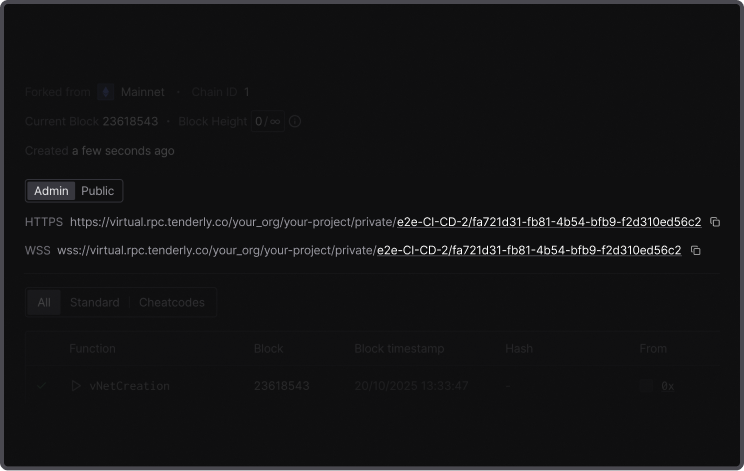
Naming your endpoints eliminates the need to manually change RPC URLs when you want to update the environments for your CI/CD pipelines, local development, and FE, BE, and QA staging.
Whenever you want to update your environments, simply reassign the relevant named endpoint to the appropriate Virtual TestNet.
How to set up predictable CI/CD via the API
Use the Virtual TestNet API to create a CI/CD pipeline with a predictable RPC URL.
Whenever you initiate new CI/CD tests, you can use the same RPC name in your create request to automatically switch environments using one RPC name. This way, your FE team, for instance, can connect to the latest Virtual TestNet version using the same RPC URL.
Here’s an example request:
{
    “description”: “Virtual TestNet created for CI/CD pipeline”,
    …,
    “rpc_config”: {
        …
        “rpc_name”: “e2e-tests-example”
    },
    …
}
Check out the Tenderly documentation for the full API reference.
How to name Virtual TestNet endpoints via the Dashboard
Create an endpoint name and assign it to a specific Virtual TestNet.
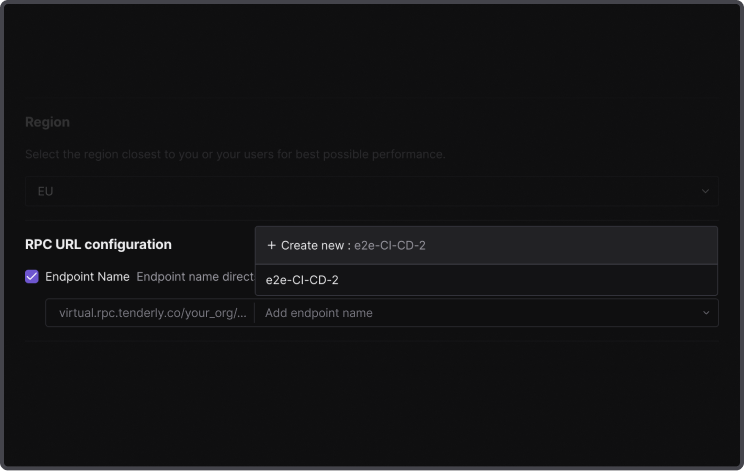
Reassign the endpoint name to any new or existing Virtual TestNet. The named endpoint will automatically redirect traffic to the newly assigned Virtual TestNet.
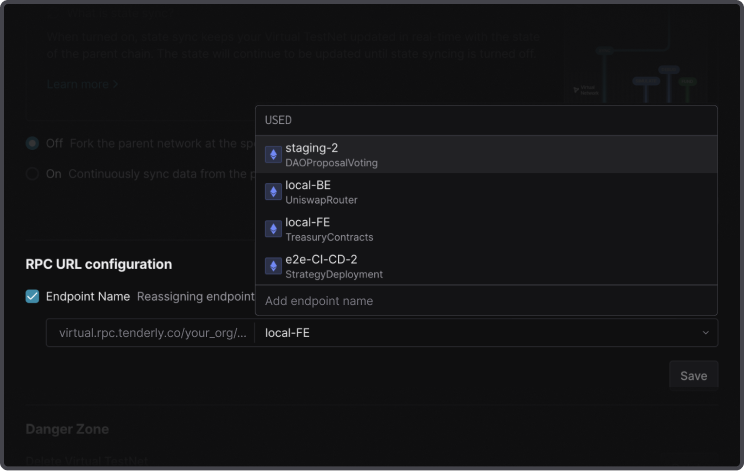
One named endpoint can be assigned to only one Virtual TestNet at a time. It can also remain unassigned until you decide to attach it to a Virtual TestNet.
Delete multiple Virtual TestNets in bulk
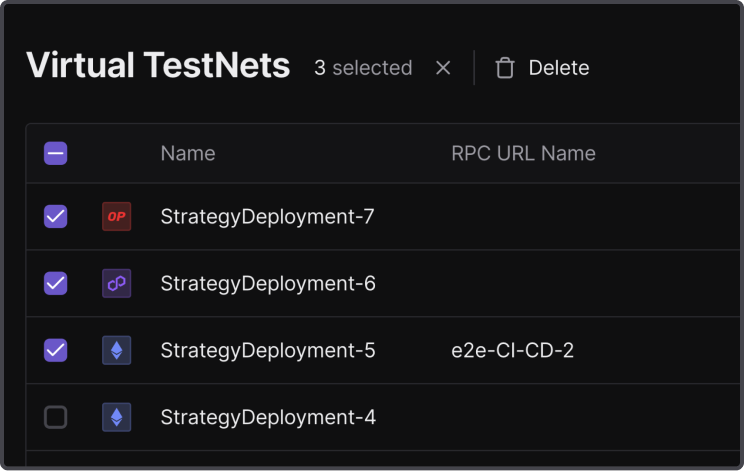
Keep your CI/CD setup on Virtual TestNets clean. Select and delete multiple Virtual TestNets directly in the Tenderly Dashboard if you haven’t removed them via the CI/CD script.
Test faster on Virtual TestNets
Fork any of the 100+ supported networks and create as many staging environments as you need. Speed up testing for your smart contract, frontend, and backend teams on Virtual TestNets synced with onchain data.