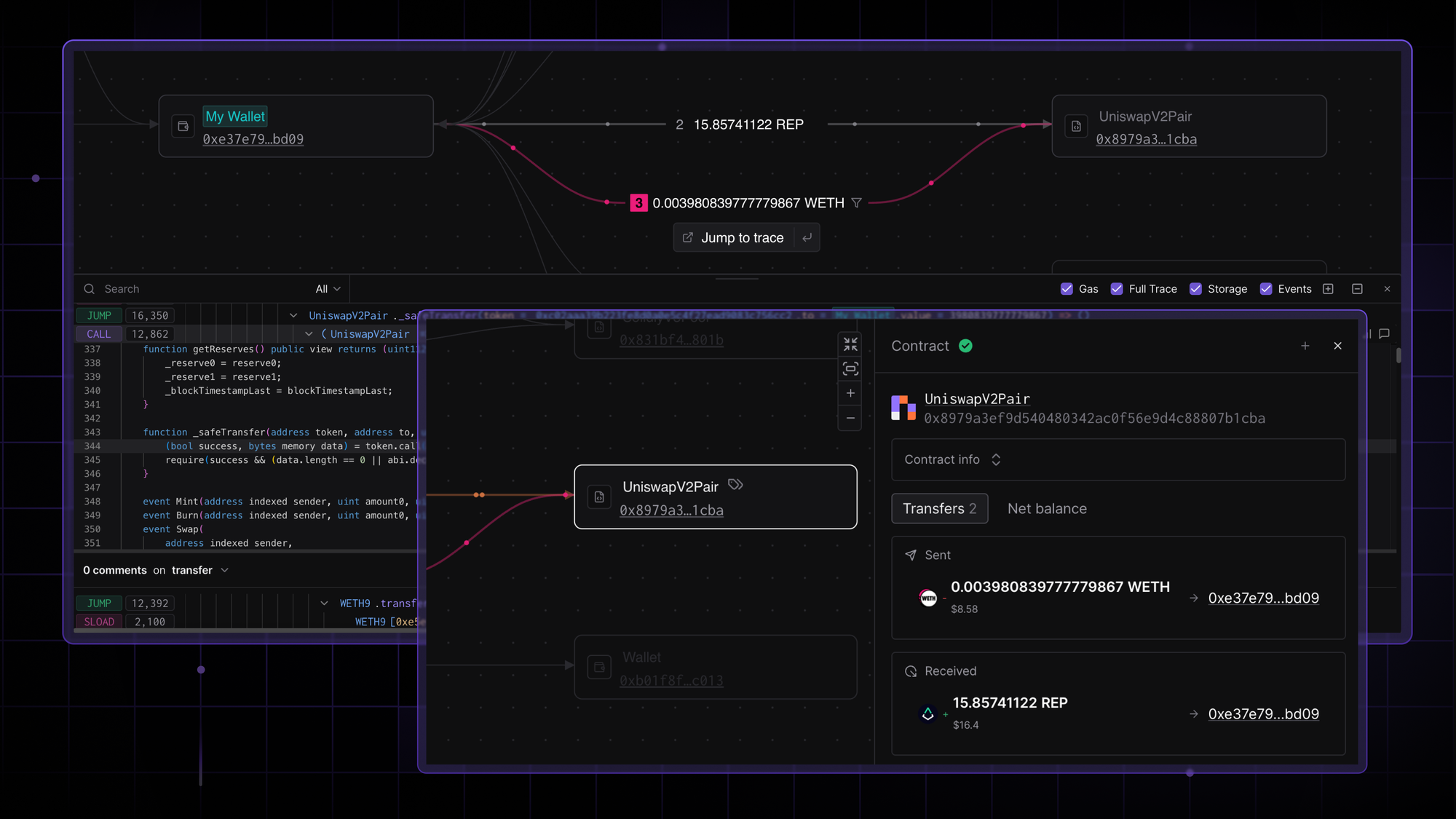
Get the full context behind every token transfer. See exactly how assets moved between addresses with an interactive fund flow graph in Tenderly. Follow and filter asset movements, investigate transfers between specific addresses, and jump to in-depth analysis with a full execution trace.
Visualize the transfer flow at a glance
Open any transaction and navigate to the Fund Flow tab to see all token transfers as an interactive graph. See the involved addresses and related transfers, with full context on asset movement.
Step through the transfer timeline
Step through the transaction chronologically using the timeline navigation bar, with each step clearly labeled. As you navigate, the current step is highlighted on the graph along with the involved addresses and transfers.
Also, get the wider context surrounding a transfer thanks to the directional animation, transfer overview in the side panel, and the next steps in the transfer flow.
Jump to an exact function call
Something looks off in a transfer? No manual searching or sifting through execution is needed.
Click Jump to Trace to open the exact function call in the execution trace directly within the Fund Flow panel. Analyze the function call without leaving context or expand the trace view to dig deeper into the execution. Move between the visual fund flow and the detailed trace without additional steps.
Dig into address details
Fully understand how an address participated in a transfer by hovering over it to highlight its connected transfers across the graph.
Then, click to open the side panel for the full picture:
- Essential address details, including the address type (contract, wallet, or token). For contracts, see the verification status, and contract information. Even label the address with a custom name or color or open it in Tenderly Explorer.
- All related transfers. Review every sent and received transfer for this address in the current transaction. Hover or click any transfer in the list to navigate to the corresponding transfer on the graph, available both on hover for quick access and in the side panel.
- Net position of the address. See exactly how much an address received or sent within the transaction, fully decoded to USD values. Also, get a per-token summary of total inflows and outflows.
Search for and navigate to relevant information
Search by address, contract name, token symbol, or even a specific transfer amount to locate an exact parameter. Type in a value, hit Enter, and the graph navigates to the matching address or transfer.
Focus on the exact token path
Trace a specific token's path through a complex transaction by enabling the contextual filter on any transfer, highlighting the token's path.
Add additional dynamic filters to narrow down your focus, zooming in on tokens, token types, addresses, address type, and transfer types (mint, burn, transfer).
Move through the scoped timeline
While the filters are active, timeline navigation applies to your scoped view, starting from the first relevant step. Interact with the rest of the graph and return to the filtered state at any time.
Get the full context behind every token transfer
Track the flow of funds within complex transactions with ease. Trace asset movements step by step, investigate any address or token, and jump to the execution trace when something needs a closer look. Open any transaction and see the whole picture.